Pracuji

Future Stars, z.s. and partners need your consent to use individual data. Click "OK" to give your consent.

SettingsOK

You can refuse consent here

Forgoten password | Registration

Follow us on social media

ZoneramaFollow us on ZoneramaIntagramFollow us on Instagram

News

The registrations are ready for the teams, we have implemented a new registration system to the tournament website and also we are really thrilled to see another year of the tournament grow higher and follow the level of the competition and all the services for the teams!


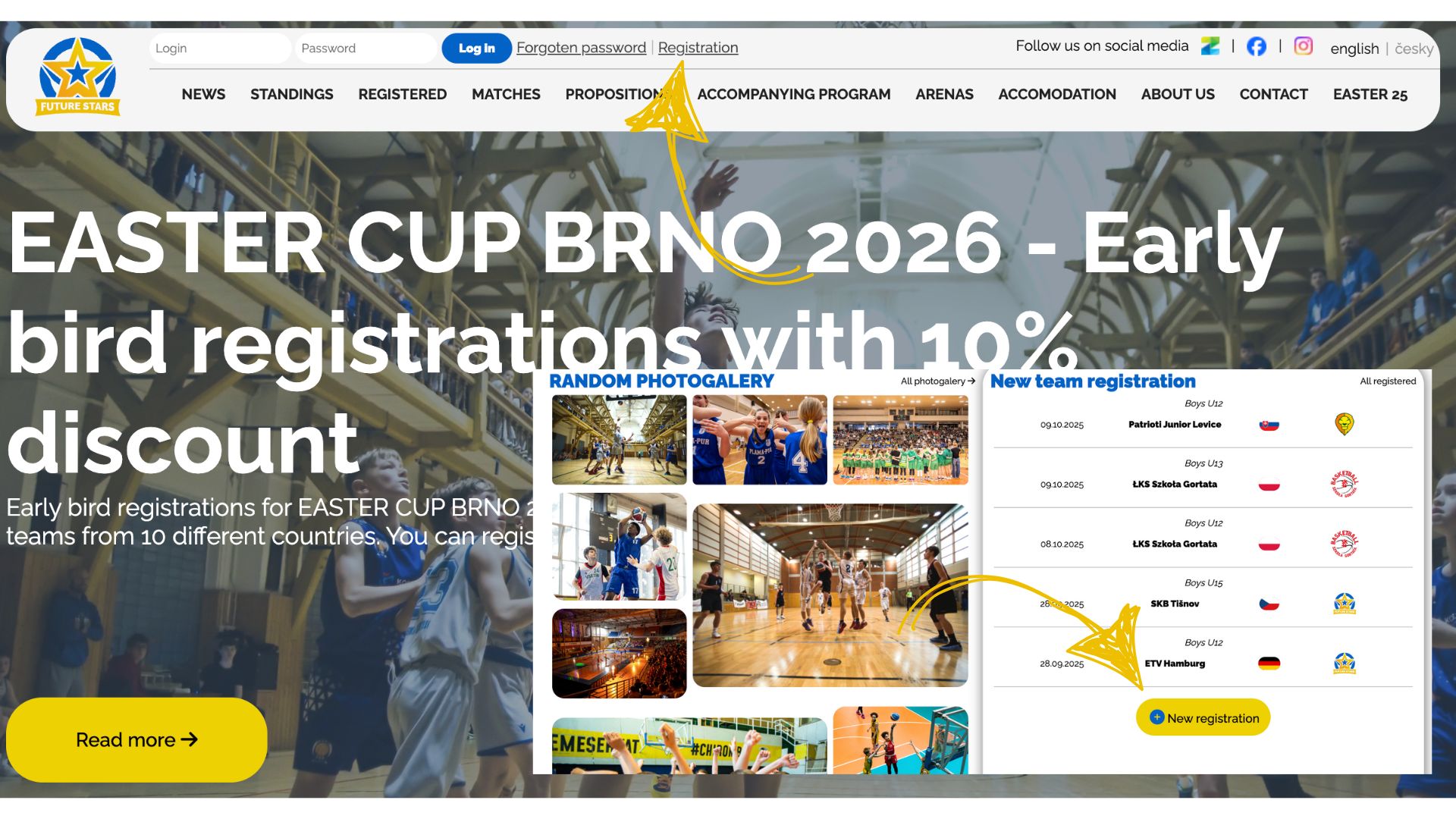
You can find the registration place at the top of the website together with following login place into the personal section!


If you have any questions or demands, we will be happy to help you and we will be looking forward to see you all here in Brno!


12 +

Step 1. Registration

  • You can register on the home page of the website in the top bar, or below under the column of already registered teams.
  • After your registration, we have to confirm it first before you have complete access


Step 2. Access to personal section

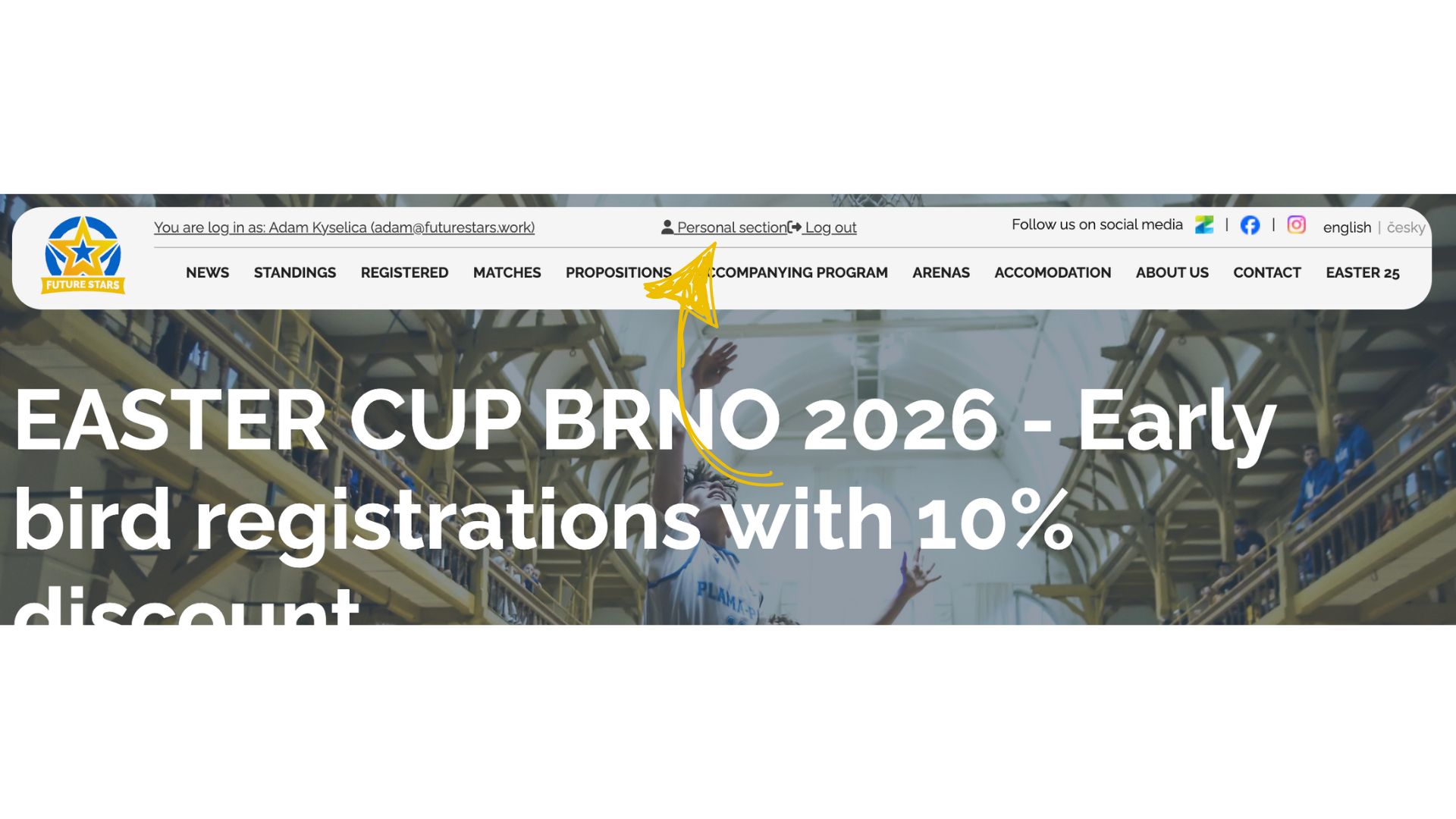
  • After registering, you will have access to your personal section, where you can manage all options and previously entered data, add additional teams and people
  • You can find access to the personal section after logging in in the top bar.
    • Don't forget to save your login details :)
    • If they do get lost, you can request a new password.

Step 3. Personal section management

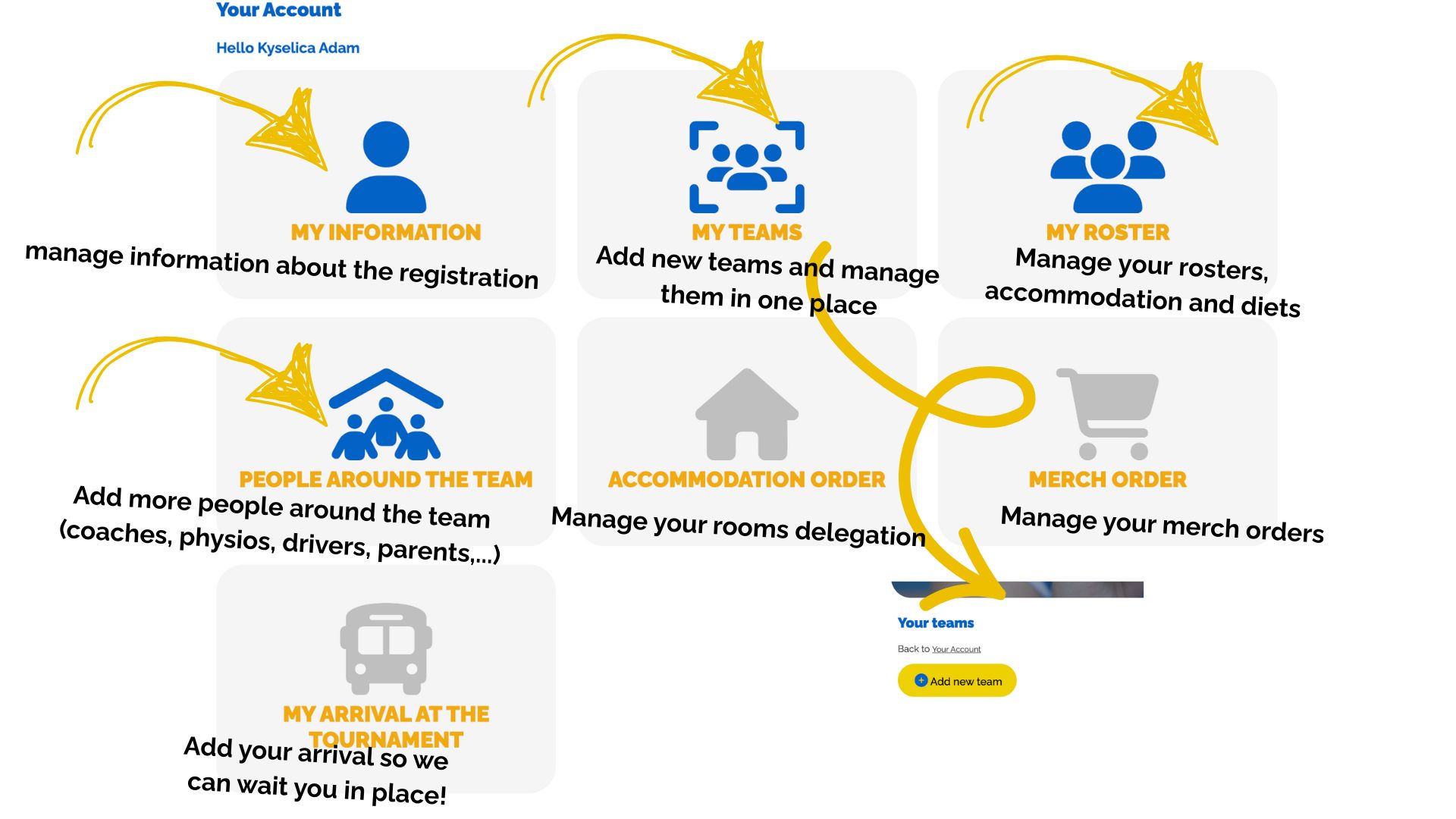
  • In the personal section, you can now manage all information related to your teams.
  • Section MY INFORMATION
    • You manage and edit information about the team, billing details, etc.
  • Section MY TEAMS
    • Add more teams (categories), all in one place, no need to register each one separately
  • Section MY ROSTER
    • You can manage the rosters of individual teams (1 player can be listed on multiple teams)
    • If you are accommodated at the tournament, please also add your accommodation details here.
      • Filling in the accommodation details will ensure a smooth arrival = no waiting, just pick up the keys and check in.
      • Fill in any dietary requirements or restrictions for players
      • Adding additional notes about players
  • Section PEOPLE AROUND THE TEAM
    • Here, the reservation manager adds additional coaches, parents (if they are staying with us), drivers, fans, etc.
    • You are entering your accommodation and meal details for the tournament again.
  • Section ACCOMMODATION ORDER
    • Here you can divide your teams into the rooms
    • The section will be pre-filled after completing the roster; you can further adjust the room layout
    • If you want rooms other than double rooms, select the options (single, triple, apartment, etc.)
    • We can slightly adjust the section according to the current accommodation capacity!
  • Section MERCH ORDER
    • Here you can fill out an order for merchandise, which will be prepared directly at registration
    • Here you will find photos and prices of individual items
  • Section MY ARRIVAL AT THE TOURNAMENT
    • Fill in your arrival at the tournament (time, place)
    • If you are not traveling on your own (by bus, car, etc.), we will pick you up at the specified time at the selected location (to help us check your train/ bus, you can also add the connection number).

Partners

© Future Stars, z.s. 2026 | Cookies setting